
Ever since Facebook announced the Live broadcasting feature, many people started using it to show what they are currently doing. If you happen to browse Facebook often, you have likely seen the Live notifications coming your way that tell you that one of your friends has gone live and that you should check it out.
Notifications for live streaming are only good if you are really interested in them and if they are useful to you, otherwise they are nothing but annoying things that distract your work. If you happen to get a lot of Live notifications in your Facebook account, you will want to turn them off to rid yourself of that annoyance.
Turning Off Facebook Live Notifications
You are going to use the Facebook website to turn off the Facebook Live notifications. This does not work on the mobile version of the site or the mobile apps.
1. Head to Facebook and get yourself logged in, if you are not already.
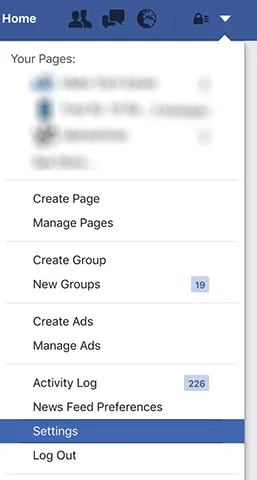
Once you have logged in to your account, click on the down arrow icon in the top-right corner and select “Settings” to access your account settings.
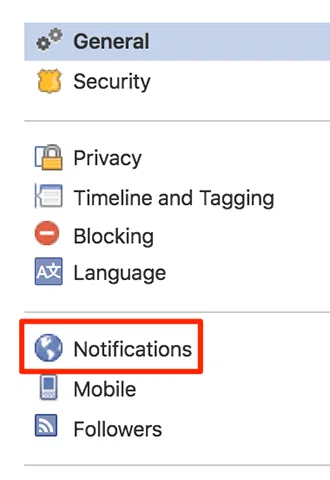
2. Click on “Notifications” on the following screen.
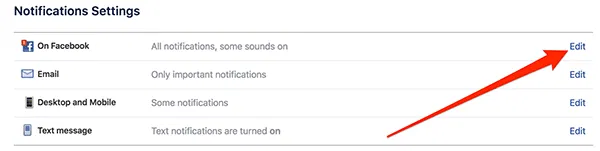
3. Click on the “Edit” button next to “On Facebook.”
4. On the following screen, choose “All Off” from the drop-down menu for “Live Videos.”

Conclusion
If you are annoyed by Facebook sending you Live notifications, the tip above should help you get rid of that.
Image Credit: Marketing Land